
Tag: scams

  • How to Spot Fake News Online: A Guide for Seniors

    How to Spot Fake News Online: A Guide for Seniors

    The internet helps us stay connected, learn new things, and keep up with the world. But along with all the good information, there’s also a lot of misinformation—often called fake news. Fake news spreads quickly online, sometimes causing confusion or even leading people into scams. The good news is that with a few simple tips, you can learn how to recognize fake news, avoid falling for it, and keep yourself and your loved ones safe.

    Understanding Fake News

    Fake news is any story, post, or message that looks like real news but isn’t true. It can show up on social media, through emails, or on websites that look professional but aren’t trustworthy. Some of it is created to trick people into clicking links, while other times it’s designed to stir up emotions like fear or anger. And remember—anyone can fall for fake news, no matter their age or experience. The important part is learning how to spot it.

    Signs of Misinformation

    There are a few common warning signs that can help you recognize fake news right away. Look out for headlines that sound shocking, urgent, or “too good to be true.” Poor spelling and grammar are also red flags. If the story makes you feel panicked or pressured to act quickly—like “click here before it’s too late!”—that’s a big sign it may not be real. Always take a moment to pause before reacting or sharing.

    Checking the Source

    One of the best ways to spot fake news is to check where it came from. Is the article published by a trusted newspaper, TV station, or well-known website? If you’ve never heard of the source, that’s a good reason to be cautious. A simple trick is to search the headline in Google—if the story is true, you’ll usually find it reported in more than one place by reliable news outlets. If you only see it on one suspicious site, it may not be trustworthy.

    Fact-Checking Tools

    You don’t have to do all the detective work alone. There are websites made to help people check if something is true or false. Snopes.com, FactCheck.org, and PolitiFact are all great places to type in a claim and see what the experts say. Even just copying the headline into a search bar often shows whether a story is real. And if you’re ever unsure, don’t hesitate to ask a family member or friend to help double-check.

    Safe Sharing Habits

    One of the biggest ways fake news spreads is through sharing. Before posting an article, forwarding an email, or sending something to a friend, take a moment to verify it. Think of it like passing along advice—you’d want to make sure it’s accurate first. By pausing before posting, you not only protect yourself, but also protect your family and friends from falling for the same misinformation.

    Stay Informed, Stay Safe

    Learning to spot fake news takes a little practice, but it becomes easier with time. By recognizing red flags, checking sources, and using fact-checking tools, you’ll feel more confident online. Staying informed helps you enjoy the benefits of the internet while avoiding the traps of scams and false stories. Remember, knowledge is power—and protecting yourself also means protecting the people you care about.

    ✨ Golden Guidance Tip: If something online makes you feel rushed, panicked, or overly emotional, it’s a good sign to slow down and double-check before believing or sharing it.
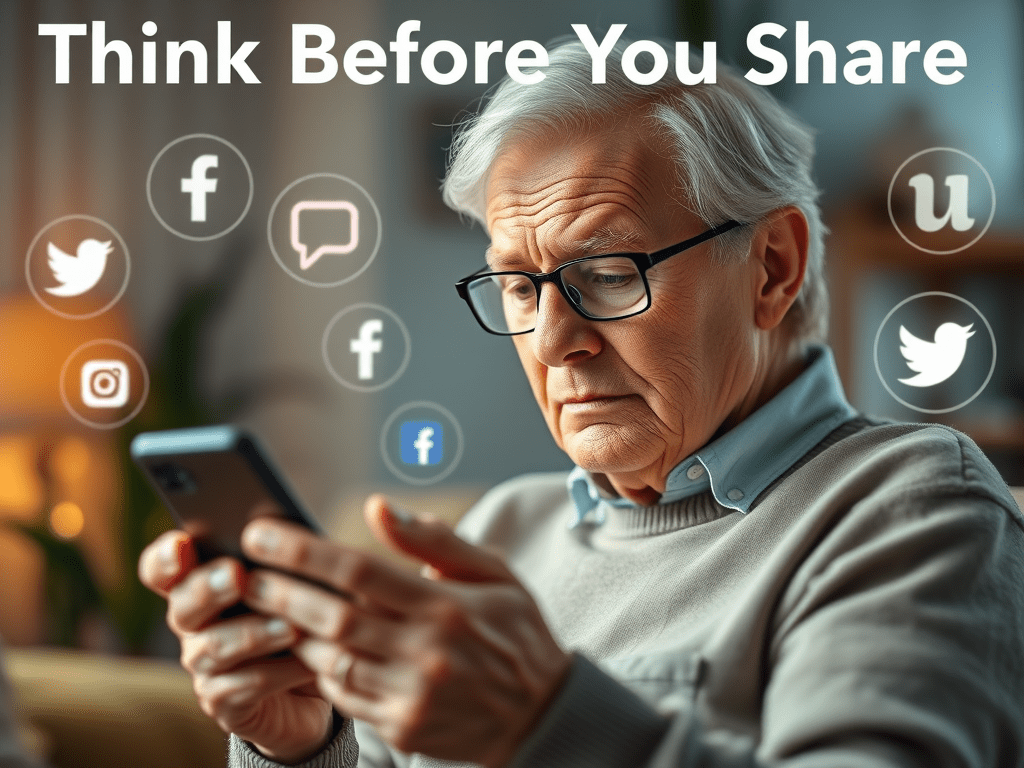
  • 🛡️ Think Before You Share: Social Media Safety for Seniors

    🛡️ Think Before You Share: Social Media Safety for Seniors

    How to stay safe and protect your privacy online

    Social media is a wonderful way to stay connected with friends, children, and grandchildren. It helps us share photos, stay in the loop, and feel part of a community—even from the comfort of home. But while social media brings us closer together, it’s also important to be thoughtful about what we share. Why? Because not everyone online has good intentions.

    The good news is, you can still enjoy social media safely with just a few simple steps. In this post, we’ll show you what to watch out for, how scammers use your information, and how to adjust your privacy settings so only the people you trust can see your posts.

    🤔 What You Should Be Careful About Sharing

    When you post something online, it may seem like it’s just going to family and friends—but sometimes it reaches much farther. Scammers and strangers can see what you share if your settings aren’t private.

    Here are a few things to avoid posting publicly:

    • Your full birthdate
    • Your home address or phone number
    • Travel plans like “Leaving for a week!”
    • Personal routines (e.g., “I go to the same café every morning”)
    • Security clues like your pet’s name, mother’s maiden name, or favorite color (common security questions)

    Even photos can reveal more than you think. For example, pictures taken in your home might show prescription bottles, mail, or IDs in the background. These details can be used to guess passwords or even steal your identity.

    🚨 How Scammers Use Shared Information

    Online scammers are sneaky. They gather small details over time from public posts to build a full profile of you. For example, if you share your birthday, dog’s name, and favorite sports team, a scammer might be able to answer your security questions and reset your account passwords.

    Some scammers also pretend to be someone you know. They might copy your profile photo and make a fake account using your name to trick others. Others watch for vacation posts to target empty homes.

    That’s why protecting your information isn’t about being secretive—it’s about being smart.

    🔧 How to Adjust Your Privacy Settings

    The easiest way to protect yourself is to change your social media settings so only friends can see your posts. Here’s how to do it on Facebook:

    1. Go to Settings & Privacy
    2. Select Privacy Checkup
    3. Choose “Who can see what you share?”
    4. Set your posts and personal information to “Friends Only”

    You can also:

    • Remove your birthday from public view
    • Limit who can send you friend requests
    • Use Facebook’s “View As” tool to see what others see on your profile

    Taking five minutes to do this can protect you from countless scams and unwanted attention.

    Safe Sharing Tips for Every Day

    Here are a few simple habits to keep in mind:

    • Only accept friend requests from people you know personally
    • Don’t click on suspicious links, even if they come from someone you know
    • Wait until after a trip to post about it
    • Use strong passwords and don’t reuse them across sites
    • Log out of accounts when using a shared device

    And most importantly, trust your gut. If something feels off, take a moment to double-check or ask a trusted friend or family member for help.

    🌟 Conclusion: Stay Connected and Stay Safe

    At Golden Guidance, we believe social media should feel safe, fun, and empowering—not stressful. You deserve to enjoy the benefits of technology without worrying about scams or strangers. By being careful with what you share and who sees it, you can stay in control and protect your peace of mind.

    Want more helpful tips like this? Follow us on Facebook and share this post with a loved one who could use a little guidance.